

Play Online
There are two supported ways to play the Transformers TCG online: on the transformerstcg.org Tabletop Simulator table, which has every supported card built in, or over webcam with physical or printed cards. Either way, the transformerstcg.org Discord is where games get organized.
Play happens in Tabletop Simulator on your own computer, or across a video call at your own table.
The Tabletop Simulator Table
The transformerstcg.org Tabletop Simulator table is a free mod for Tabletop Simulator on Steam. Tabletop Simulator is a 3D physics sandbox rather than an automated card client: you pick up, flip, tap, and stack cards with the mouse, so a game feels close to handling real cards. The table includes official-era cards, every supported community release, and a selection of historical fan material. Nothing needs to be printed.
- Thousands of cards and hundreds of custom components, with four seats.
- One-click buttons for battle flips and end-of-turn cleanup, the parts of the game that are tedious to do by hand.
- Swappable playmats.
The table entered a listed Steam Workshop Public Beta in February 2026, with new builds landing regularly on the way to a 1.0 release; it has since become the highest-rated Transformers TCG mod on the Workshop. Public Beta card releases such as Org Wave 9: War|Void are on the table as soon as they enter testing, so it is also the easiest way to beta test upcoming cards before release.
Getting Started
- Buy and install Tabletop Simulator from Steam.
- Subscribe to the table on the Steam Workshop. Steam downloads it and keeps it current.
- In Tabletop Simulator, create a game, choose Workshop, and load the table.
- Build a team and deck from the card library on the table, or bring a decklist.
- Invite an opponent, or ask for one on Discord.
The Black Hole
The table preserves a selection of historical fan releases in the Black Hole at its center. Those cards are there for preservation and casual play. Inclusion does not make them legal in organized play, and a game that uses them needs every player’s agreement beforehand; see the FAQ.
Webcam Play
Webcam play is the same game with physical cards, across a video call. It suits players who own cards, prefer handling them, or want to use print-and-play copies of community releases. Any video-call service works; most games are arranged on Discord and played there.
A few habits keep a webcam game verifiable for both players:
- Camera position. Point the camera top-down over the play area so the whole battlefield stays in frame: both teams, upgrades, damage counters, and the scrap pile.
- Hand visibility. Keep your hand inside the frame rather than below the table. Card faces stay angled away from the camera as usual; what matters is that hand size can be checked at any point.
- Resolution. 1080p is ideal when available so card text is legible without asking. 720p is generally workable, but expect to confirm details such as damage totals verbally more often.
- Lighting. Light the table from the side or bounce light off a wall when possible. A lamp directly over the play area glares off sleeves and washes out card text; diffused LED lighting works especially well.
- Mirroring. Some video apps mirror your local preview even when other players see the image correctly. Check how the feed appears to your opponent before changing camera settings.
- Counters. Use dice or tokens large enough to read on camera for damage and other counters; small counters vanish at 720p.
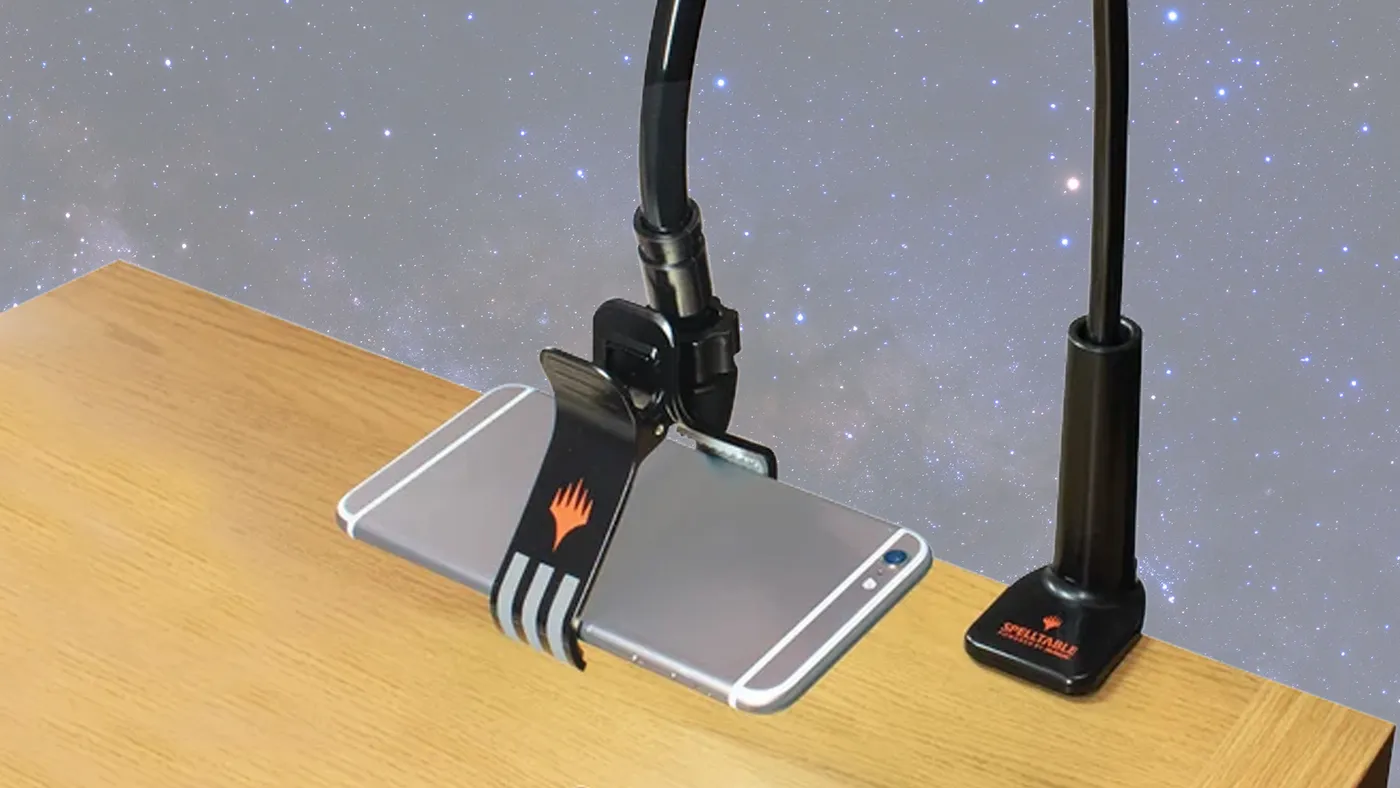
A phone is the usual camera, and a mount that holds it steady over the play area makes the whole game easier. Players improvise all sorts of rigs (a box with a slot cut for the phone, a PVC frame, and the articulated hands of a Titan-class figure have all been known to hold one), and retail stands made for overhead filming or for card games over video also work. A few examples, none of them endorsements:
- Ultra PRO’s Spell Table Camera Stand, a desk clamp with a bendable arm made for Magic: The Gathering over video.
- The CamStand Magic Stand, a similar stand sold through Walmart.
- Generic overhead phone mounts with a desk clamp and an articulating arm, such as this one or SMALLRIG’s 22” Magic Arm clamp.
Organized webcam events follow the Webcam Play section of the Tournament Rules, including its guidance on proxies and time limits.
Finding a Game
- Discord: the community’s home for pickup games on the table or over webcam, deck help, and rules questions. Say what you want to play and when.
- Open Play: the easiest scheduled entry point for a first online game. A weekly session on the Discord for casual games, learning the game, and deck help, on the table or over webcam.
- Events: online and in-person organized play, including tournament seasons and new player events.
Etiquette
Online play loses some of the visual and social cues of sitting across the same table. A few habits keep it friendly:
- Say what you’re doing. Announce attacks, flips, and triggered abilities as you make them, and confirm damage totals out loud. It saves both players from re-checking the board.
- Assume good faith. A wrong card in the wrong zone is usually a misclick, a lag spike, or unfamiliarity with the table, not an angle. Ask, fix it, move on.
- Open and close the game. A hello before and a “good game” after are the online handshake. The community is small enough that you’ll play the same people for years.
New to the game, or coming back after a while? Start with How to Play or Returning Players, then pick a format.